vanished-rooms - a chat room CLI in Go
VANISHED ROOMS

Vanished Rooms es una aplicación de mensajería basada en CLI (Interfaz de Línea de Comandos) desarrollada en Go. Está diseñada para ofrecer un entorno de comunicación seguro basado en salas, donde la anonimidad es la norma y la persistencia de datos es inexistente por diseño.
Características Principales
- Zero-Knowledge E2EE: Cifrado de extremo a extremo que garantiza que solo los participantes puedan leer los mensajes.
- Arquitectura de Cifrado Híbrida:
- AES (Simétrico): Para cifrado de mensajes de alta velocidad en la sala.
- RSA (Asimétrico): Para distribuir de forma segura la clave de sesión AES entre participantes.
- Anti-Forensics & Zero Logs: Sin registros de actividad ni metadatos.
- Anonimato vía Tor: Enrutamiento nativo a través de la red Tor para ocultar direcciones IP.
- Amnesia del Servidor: Configurado para borrar toda la memoria volátil y reiniciarse periódicamente.
- Lógica de Privacidad Centrada en el Usuario:
- Purga Instantánea: Los datos del usuario se borran al desconectarse.
- Salas Autodestruibles: Las salas desaparecen cuando sale el último participante.
Nota de Transparencia: El servidor opera bajo el principio de “caja de cristal”. El tráfico cifrado es públicamente visible para auditoría, pero la capa E2EE hace que sea matemáticamente imposible de descifrar sin las claves privadas de los participantes.
Arquitectura P2P y Gestión de Claves
La aplicación sigue una lógica Peer-to-Peer (P2P) descentralizada para la distribución de claves:
- Creador (Host): Genera la clave maestra AES.
- Distribución: El host cifra la clave AES con las claves públicas RSA de los nuevos integrantes.
- Liderazgo Dinámico: Si el host sale, el rol se reasigna automáticamente al siguiente usuario (según el timestamp de entrada), garantizando continuidad sin autoridad central.
Secuencia Lógica

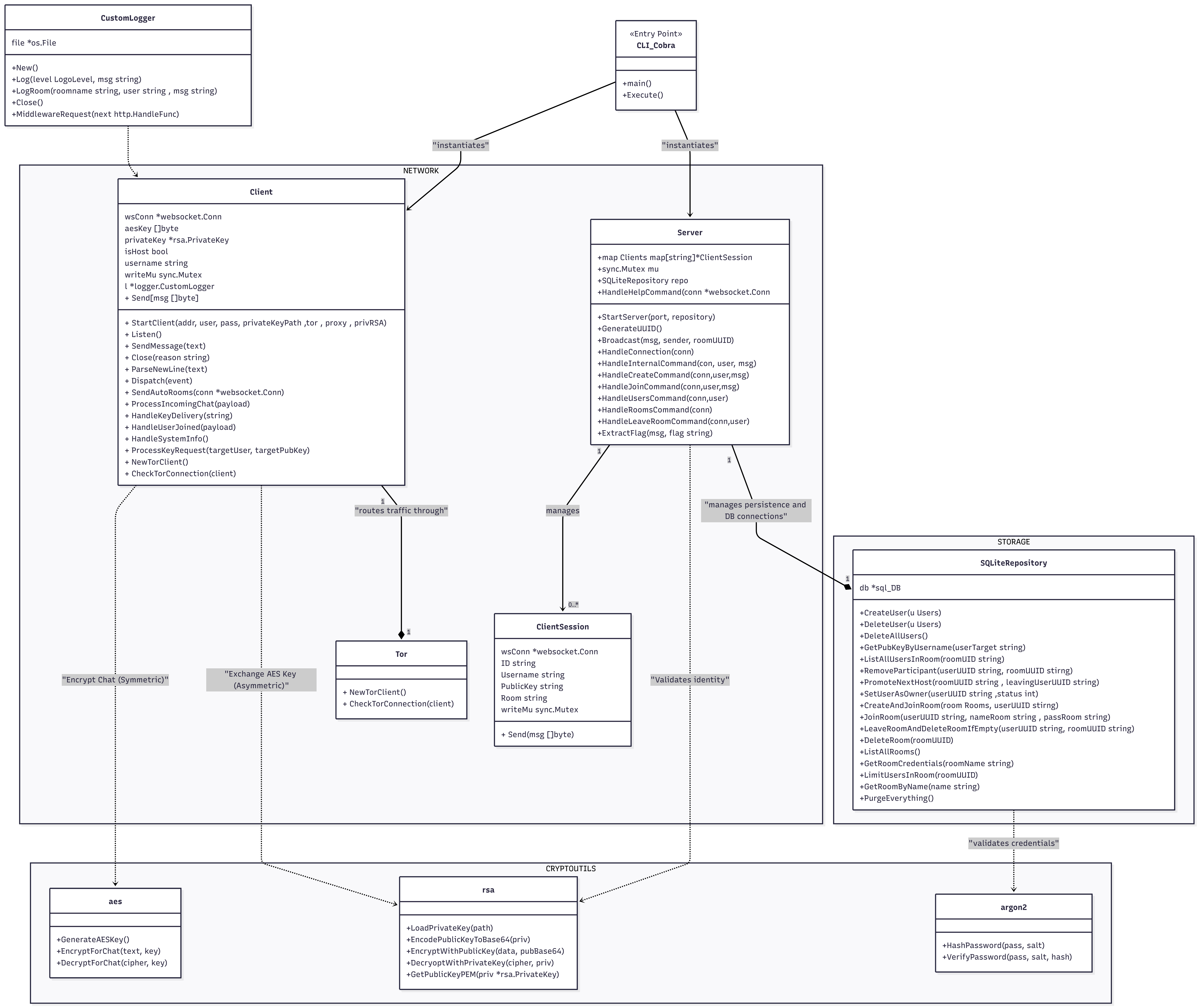
Diagrama de Clases
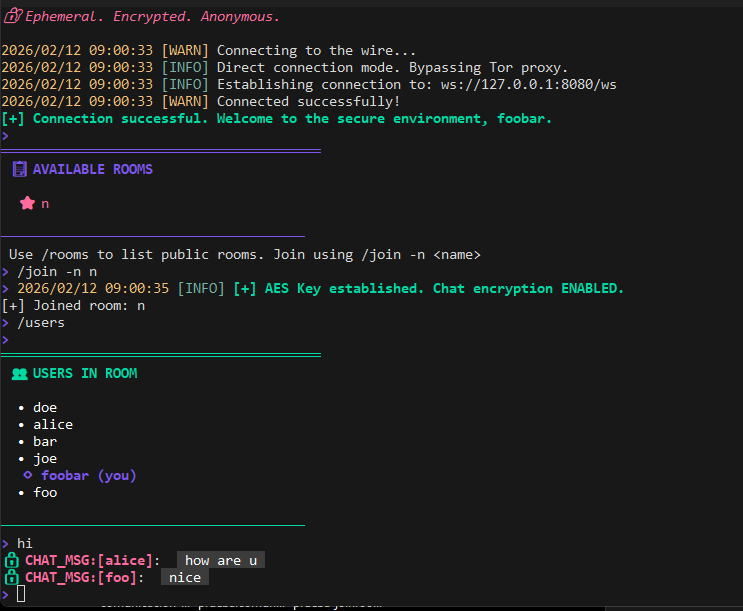
Ejemplo rooms
- Tener el servicio de Tor ejecutándose localmente.
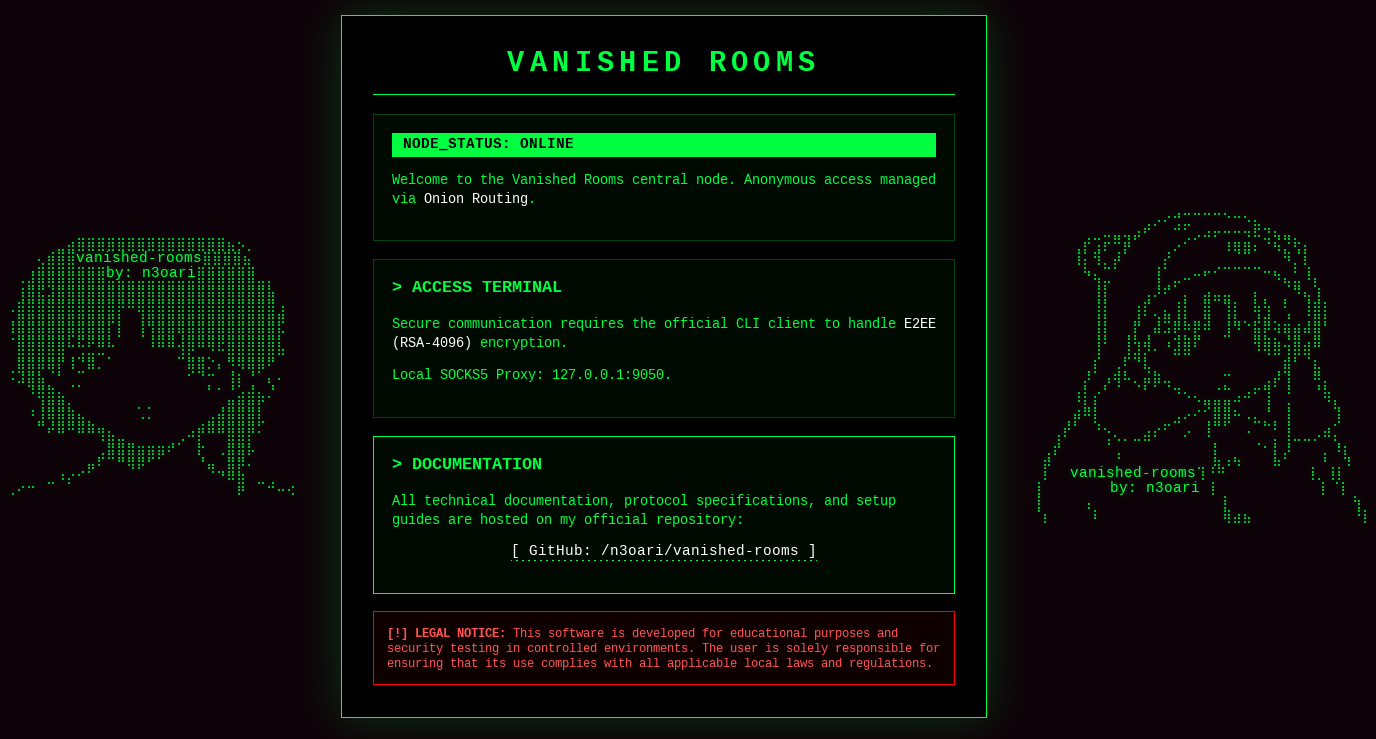
- Verificar si el servidor Onion está en línea:
http://wuopotpej2uap77giiz7xlpw5mqjdcmpjftmnxsprp6thjib2oyunoid.onion/
```bash
Clonar repositorio
git clone https://github.com/n3oari/vanished-rooms.git cd vanished-rooms
Instalar dependencias
go mod tidy
Generar clave RSA privada
openssl genrsa -out privada.pem 2048
Ejecutar cliente
go run main.go client -u